
Meet Chalk AI
Chalk is the AI play assistant built into OnChalk. Tell it what you want in the words you’d use at practice (“make Y a 7 yard post,” “have the back stay in and block,” “trips right with Y on a post”) and it draws the change on your field. You look at it, then you decide. Here’s what Chalk does and how to get the best out of it.
Where to find it
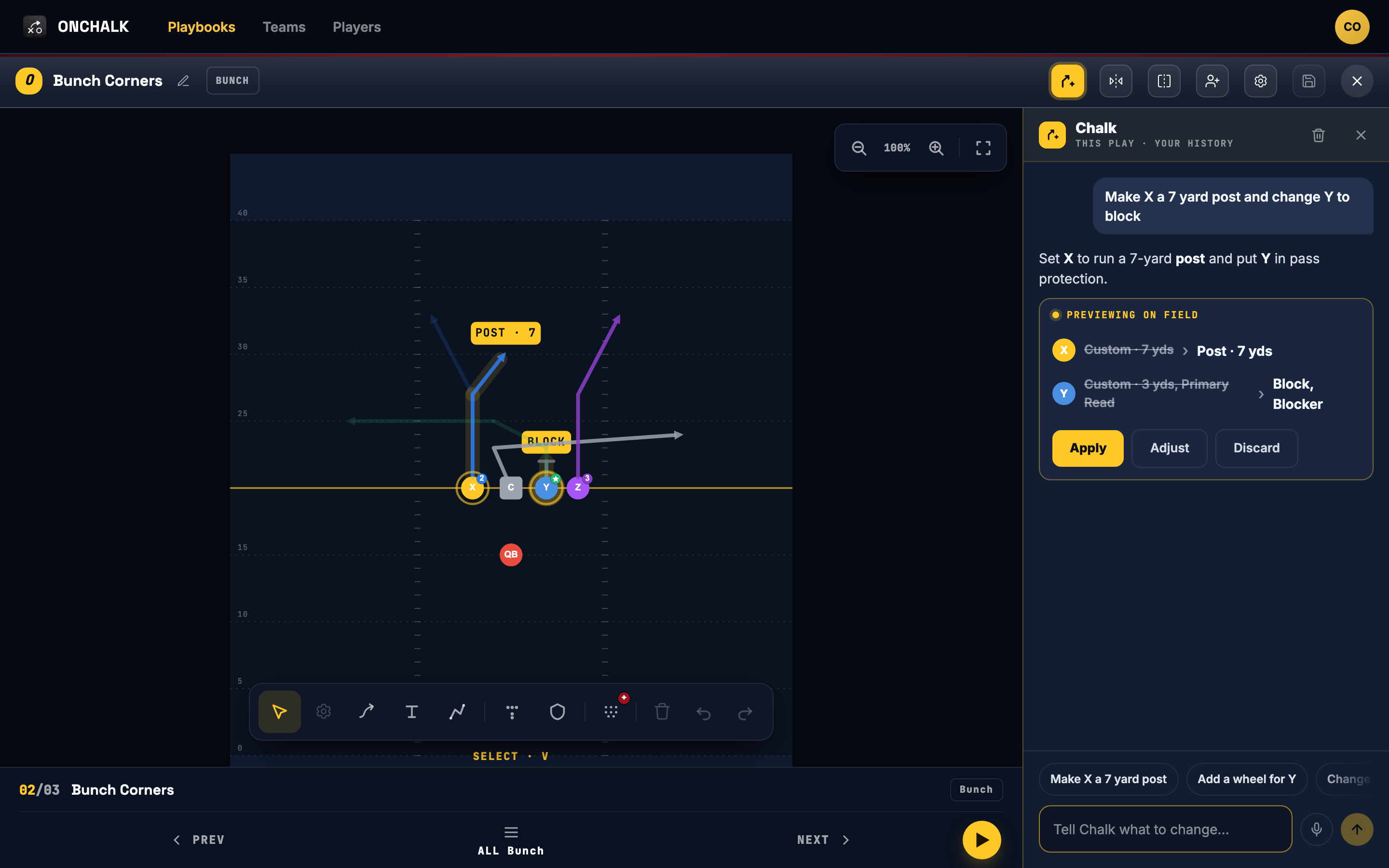
In the play editor, open Chalk from the gold button in the top toolbar. In the play library, it’s the gold Chalk button next to Playmap. On a laptop or an iPad, the Chalk panel sits open on the right. On your phone, tap the gold Ask Chalk button and it slides up from the bottom.
Type, or tap the microphone and say it. Dictation fills in the message; you still tap send.
Create a play from a sentence
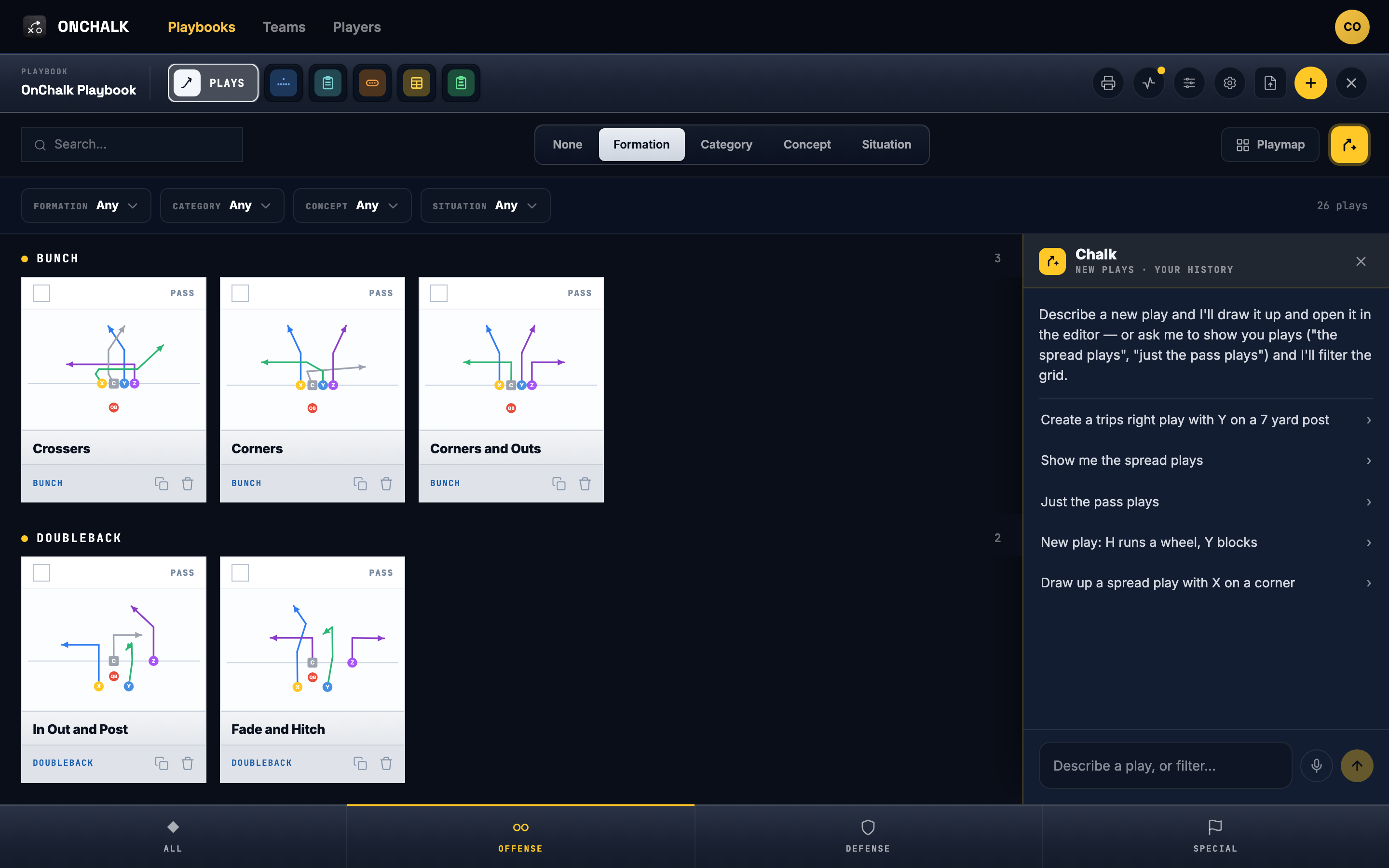
Open the play library and describe the play: the formation and what each player runs. Chalk builds it, gives it a suggested name, and opens it in the editor with Chalk still open, so you can keep shaping it from there.
Change routes and depths
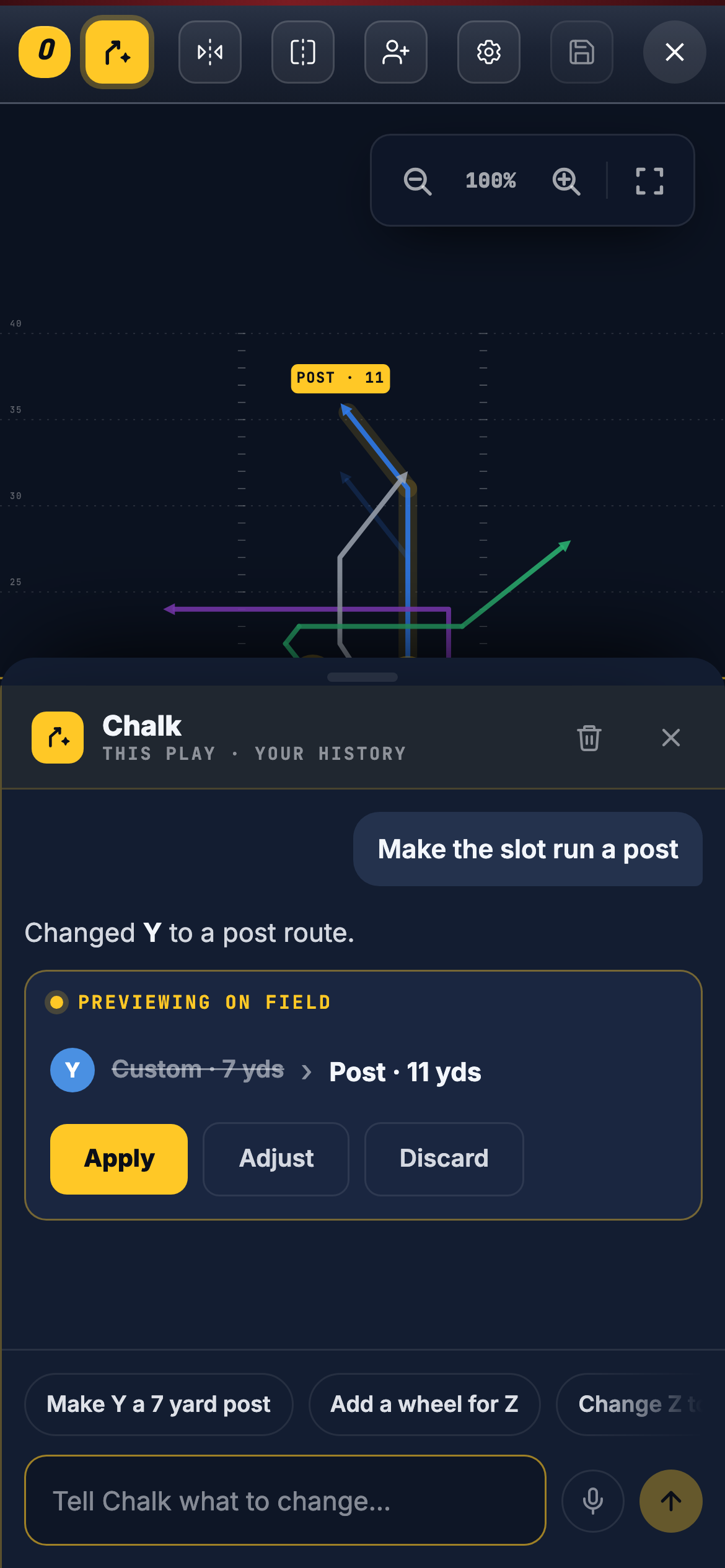
In the editor, tell Chalk which player and what to run. Give the depth in yards. You’ll see the new route drawn as a dashed line with a gold label, and the old route fades out behind it. Put several changes in one sentence and they come back together, with one Apply.
Change blocking and formations
Keep a back in to protect, or turn a receiver into a blocker. Ask for a different formation and Chalk shows where the players move before anything shifts.
Ask Chalk to explain the play
Chalk reads the play you drew and writes up the read progression and coaching points for each player. It reflects your current routes, including anything you just changed, so it’s ready to use when you teach the play.
When Chalk isn’t sure, it asks
Ask for something Chalk can’t pin down, like a player who isn’t on the field or “the slot” when there are two, and it won’t guess. It shows you the choices and waits. Tap the one you meant, on the field or in the panel, and it carries on.
Nothing changes until you say so
Every change Chalk suggests in the editor is a preview. Apply makes it real, Discard throws it away, and Undo puts the play back the way it was. You save the play the same as always.
Use the player letters on your field (X, Y, Z, H, T). Say depths in yards. One sentence can carry several changes. If a result isn’t right, discard it and say it a different way.
Your history stays with the play
Each play keeps its own Chalk conversation, and only you can see yours. Duplicate a play or create a new one and it starts with a clean slate.