
Your playbook, on every kid’s phone by Friday.
OnChalk Playbooks is the simple, affordable way to coach youth football with the tech kids already have in their pocket. Build plays, ship weekly installs to every kid’s phone, print wristbands and call sheets from your laptop — and see exactly who has opened them. Live now — try it free for 7 days.
We’re youth coaches. We wanted to use
the tech kids already have.
Kids carry phones. We wanted a simple, affordable way to put the playbook on those phones — so an 11-year-old can study her assignment between practices, and we can finally see who actually did. We built what we wished we had on the sideline.
Playbooks die when seasons end.
Years of plays, installs and signals scattered across PDFs, Keynote files, and a shared Drive nobody renews. Move teams — lose it all.
Diagrams aren’t lessons.
A play drawn on a clipboard is a coach’s tool. Until a player sees their route, on their phone, it’s not a teaching tool.
Saturday morning shouldn’t mean Word docs.
Wristbands re-typed. Call sheets re-formatted. Playsheets re-printed. A change to one play means redoing every artifact — on a youth coach’s nights and weekends.
Kids learn on their phones — not in your binder.
The clipboard never made it home. The PDF never got opened. Meet kids where they already are, and see who’s actually looked at the install before Saturday.
One playbook, four working surfaces.
Everything plugs into the same source of truth: change a play, and your installs sync to every kid’s phone — and your wristbands, call sheets, and playsheets regenerate in the web app for game day.
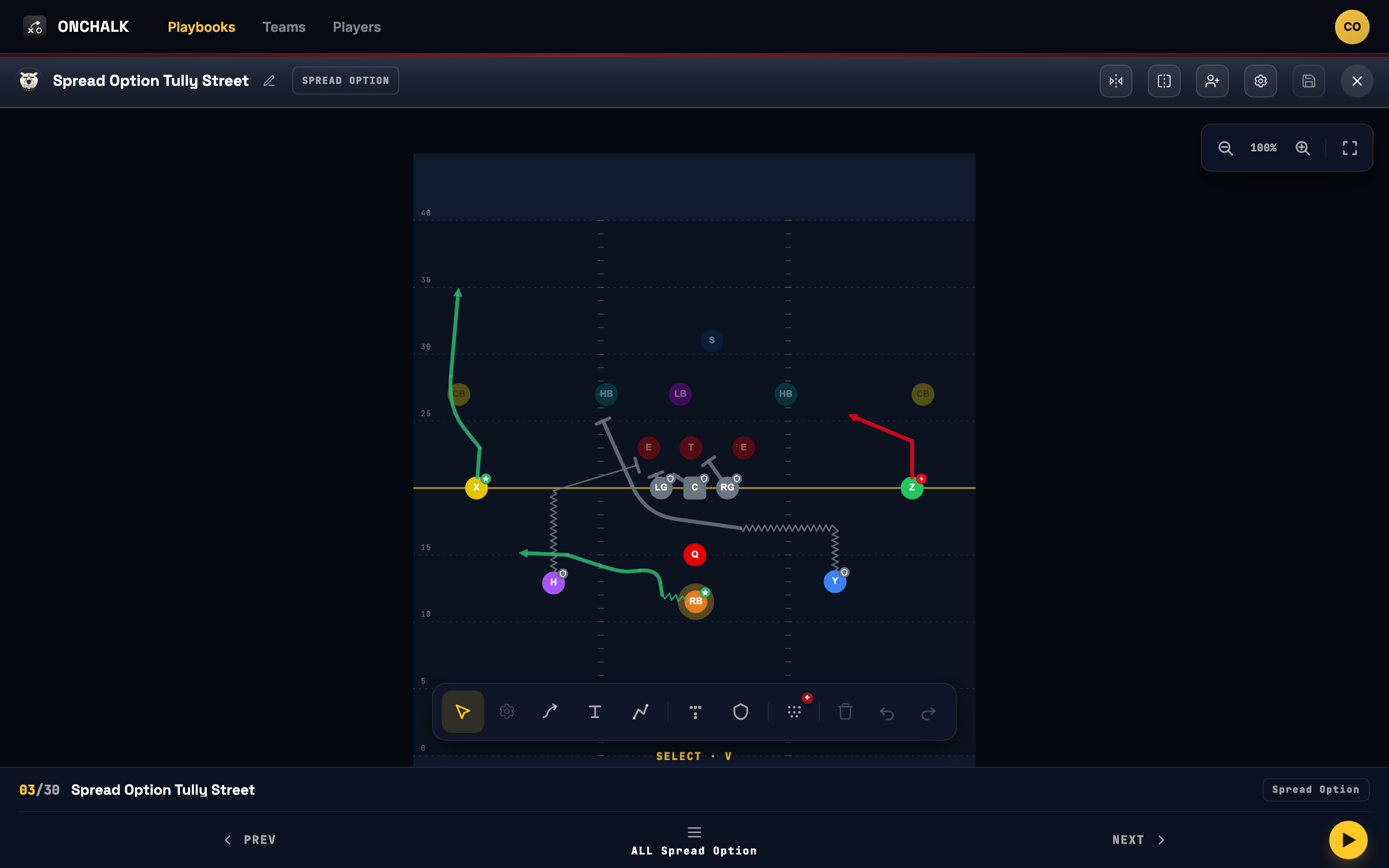
Play editor
Touch-first drawing. Place positions, pull routes, set the assignment and the teaching note per player.
- Drag positions, draw routes
- Per-player assignments and notes
- Formations stamped into any play
Every play you’ve ever drawn, one filter away.
Search by name, or narrow by formation, category, concept or situation. Every route is colored by position and every card shows its category at a glance — the same library that feeds installs, wristbands and playsheets.
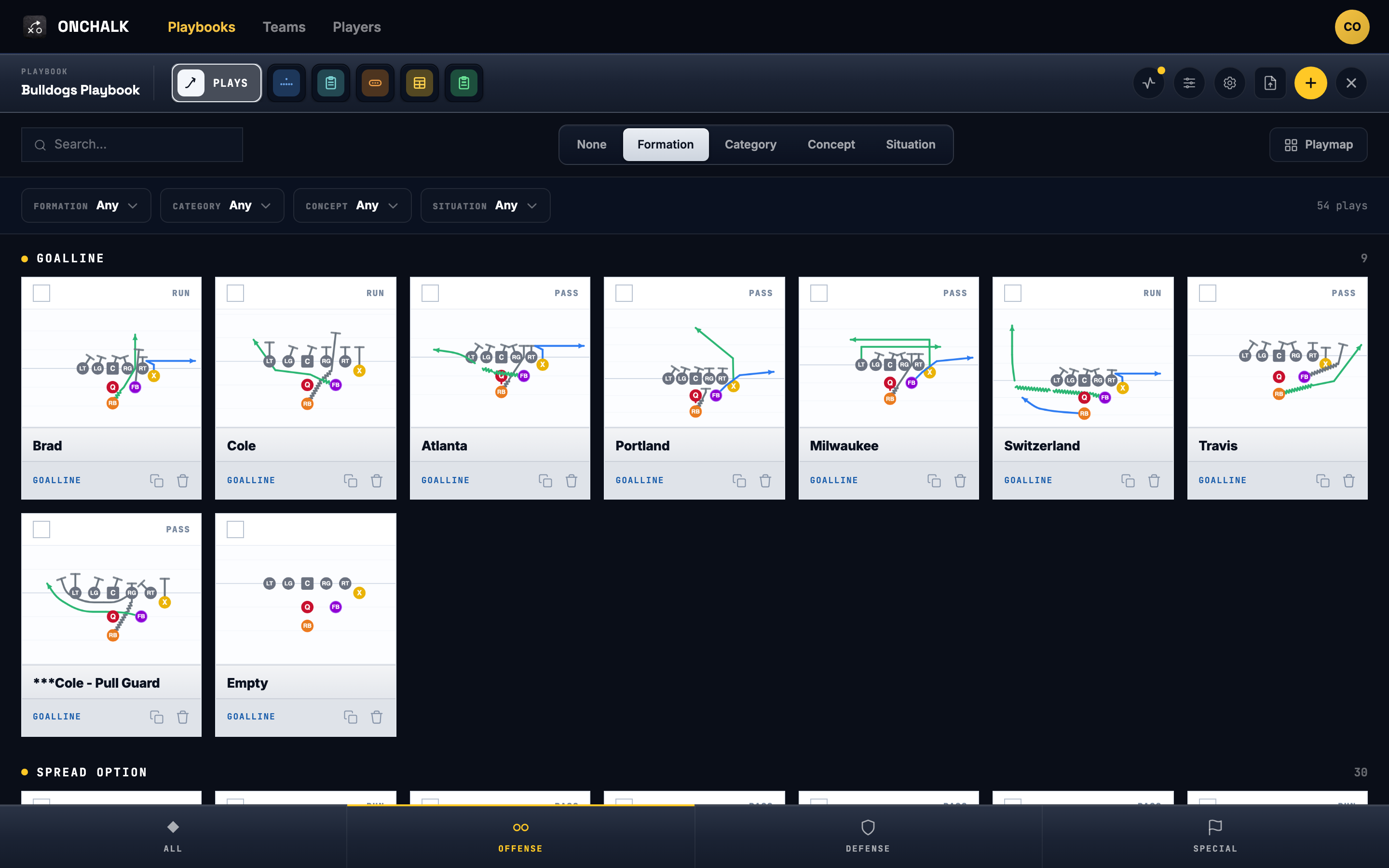
Formation, category, concept, situation.
Stack filters to pull the exact set you’re teaching this week, then send the whole selection into an install.
Routes colored by position.
X, H, Q, Z, Y and RB each keep their color across every play, so a card is readable at thumbnail size.
Offense, defense and special.
All three units in one library, portable across teams and seasons on your coach profile.
Four steps. One week.
Build the install.
Pull plays from your playbook into this week’s install. Reorder. Note the situation. Set who sees what — the whole team, just the line, one player.
Ship it.
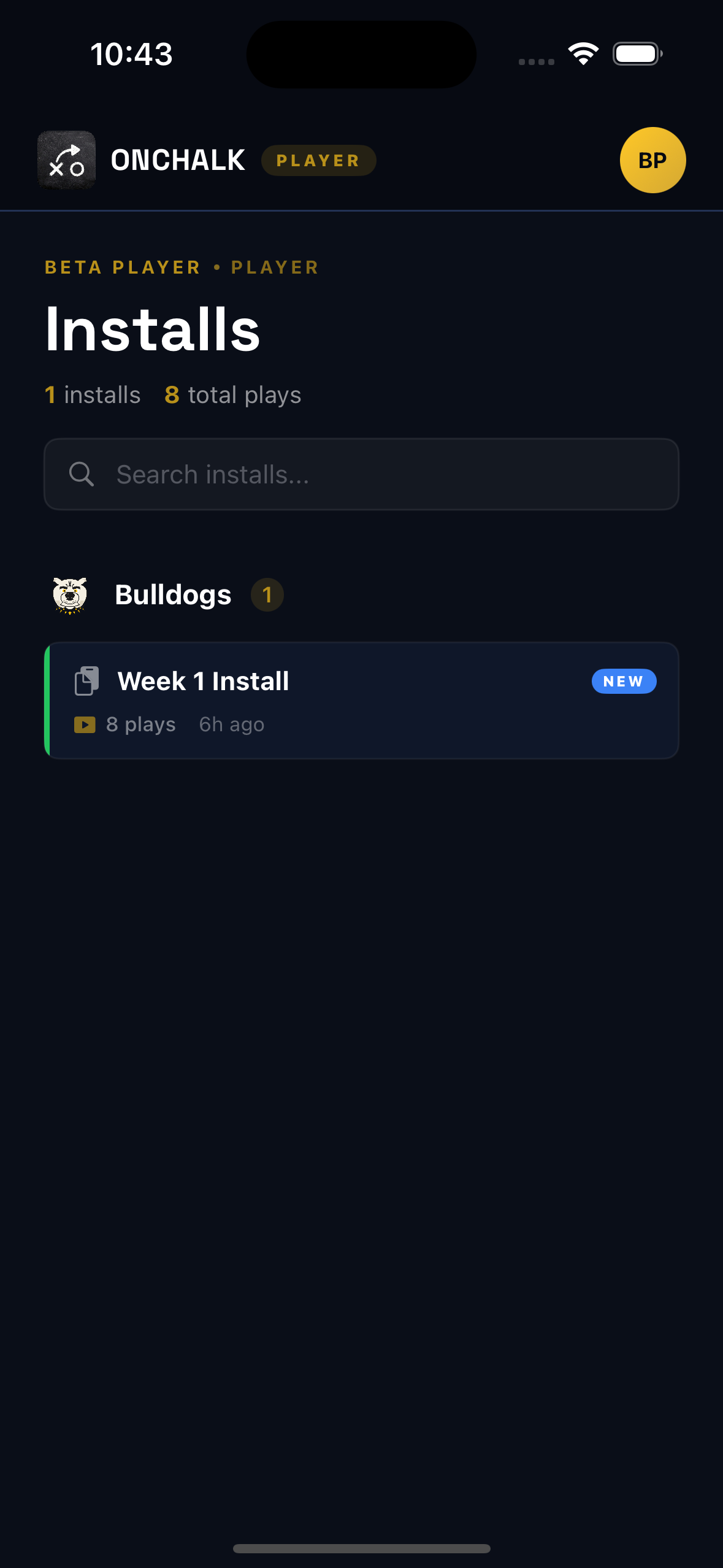
Publish the install. Players get a push notification. They open the app and see their assignment for every play. Every play they open is recorded for the coach — no manual logging.
Check the dashboard.
See who’s opened the install, who’s lagging, who hasn’t cracked it yet. Pull the players who need a walk-through. Print this week’s wristbands and call sheets.
Run it.
Hit the field with wristbands on, call sheet in hand, and a team that already saw every play this week. No more “wait, what was my route?”
The week’s package, ready to publish.
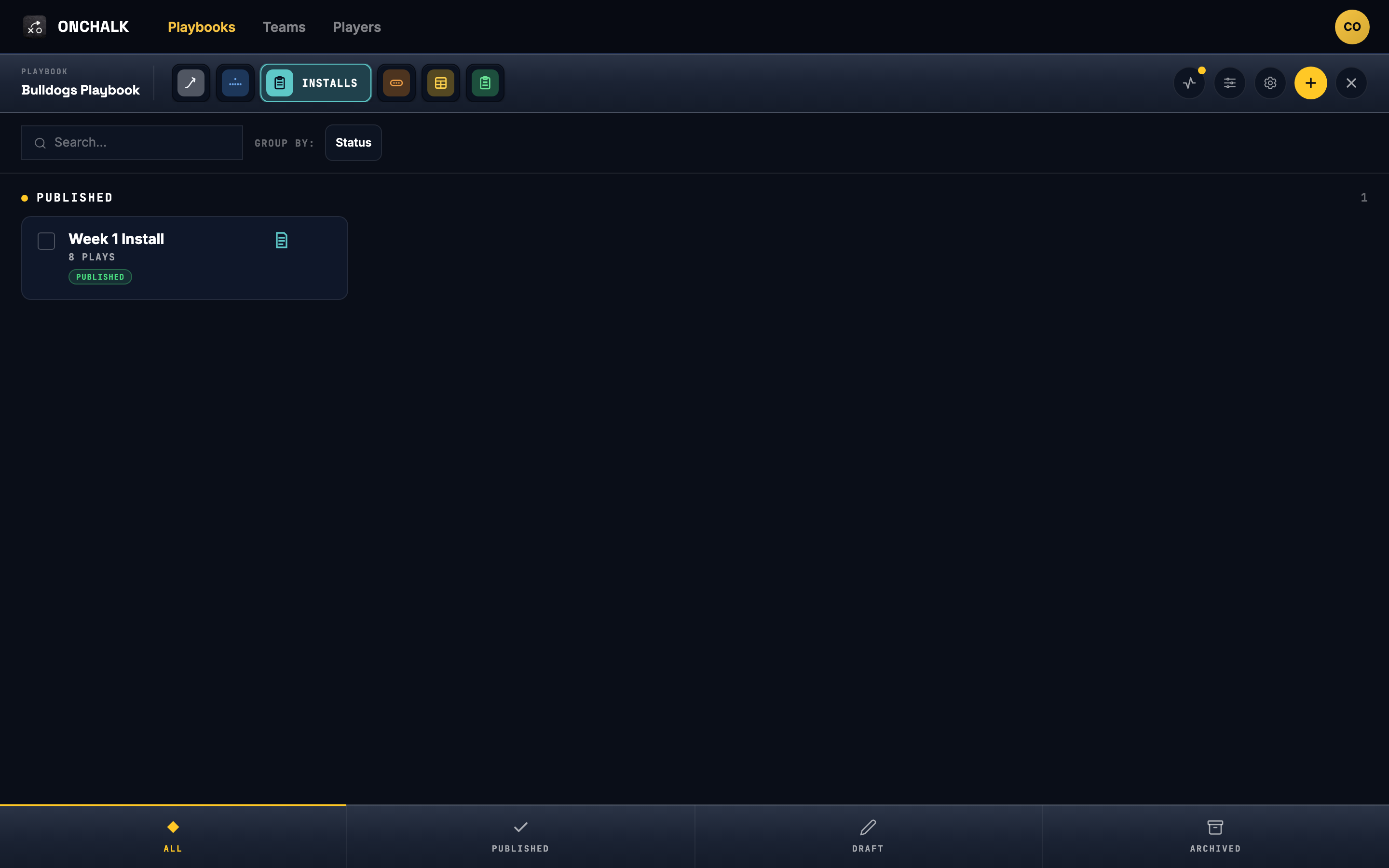
An install is the week’s package — the plays you’re teaching, scoped to the players who need them. Draft it through the week, publish when you’re ready, and it’s on every assigned kid’s phone. The same install drives Saturday’s wristbands and call sheet.
Installs stay grouped by status, so what’s live this week is never in doubt.
Assign the whole team, just the line, or one kid repping a new spot.
Publish and every assigned player gets it — no printing, no group text, no chasing parents.
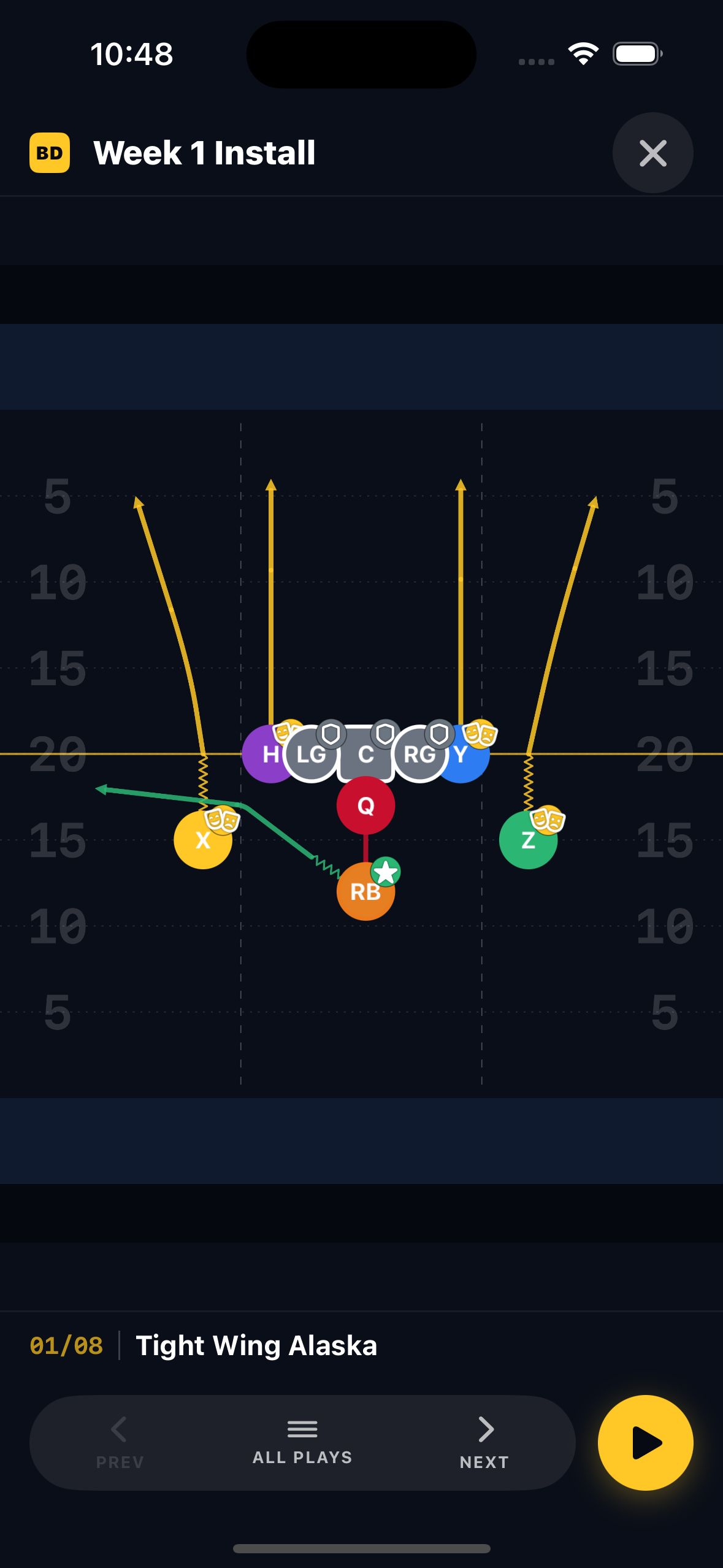
Walk the install play by play.
Open a published install and step through it — the full field diagram, one play at a time. Prev, next, or play it straight through, the same viewer a coach walks a position group through at practice.
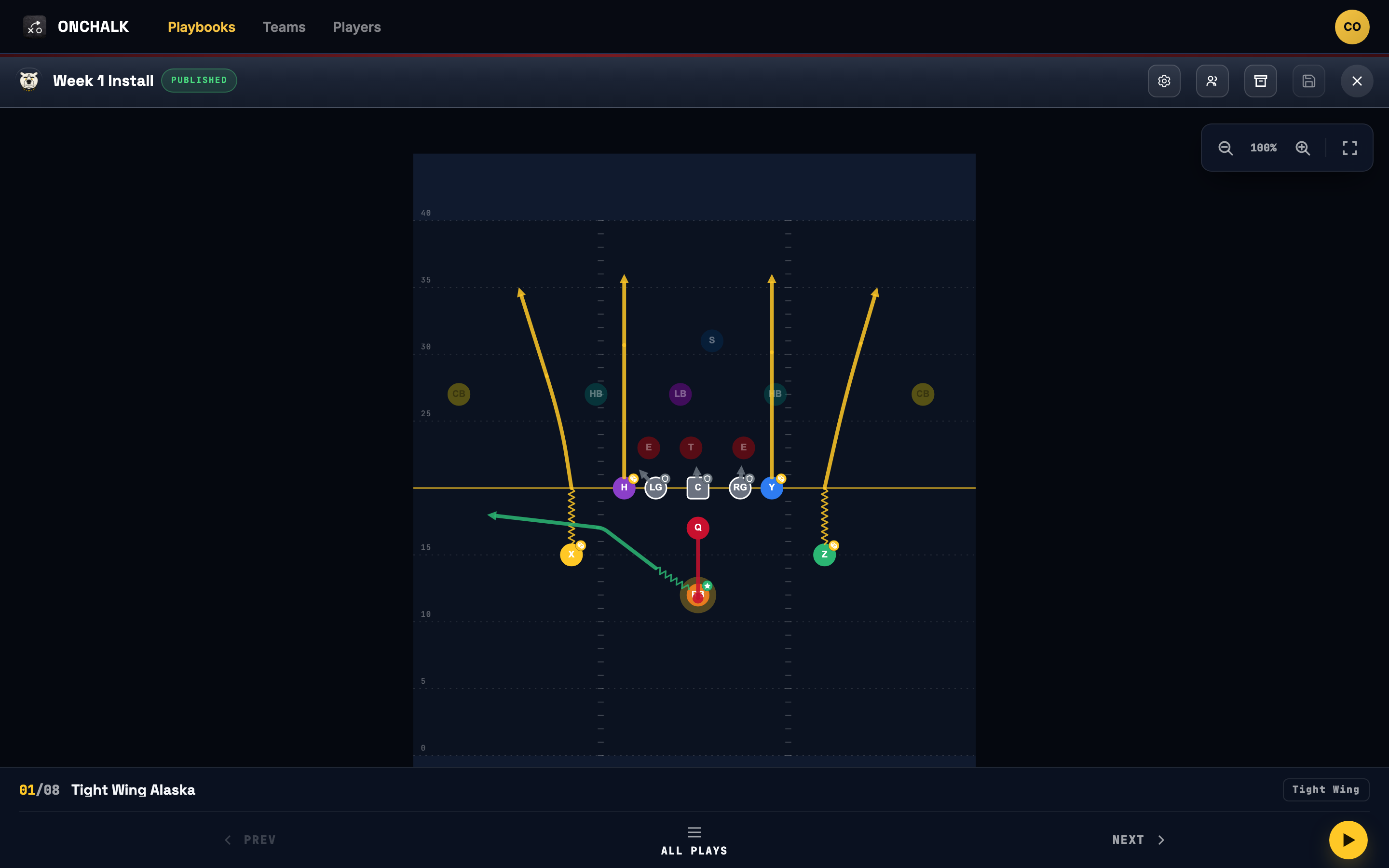
Your playbook generates the printout.
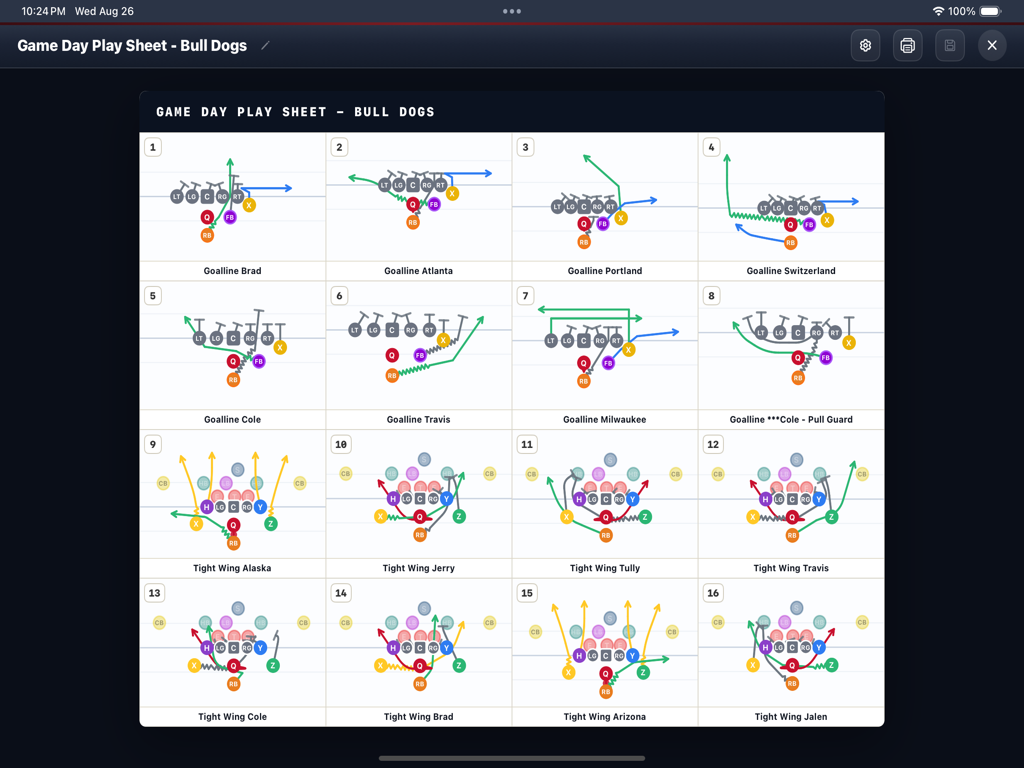
Wristbands, call sheets, and playsheets — all generated from the same playbook data. Change a play, and every artifact updates. Print from the web app on Saturday morning.
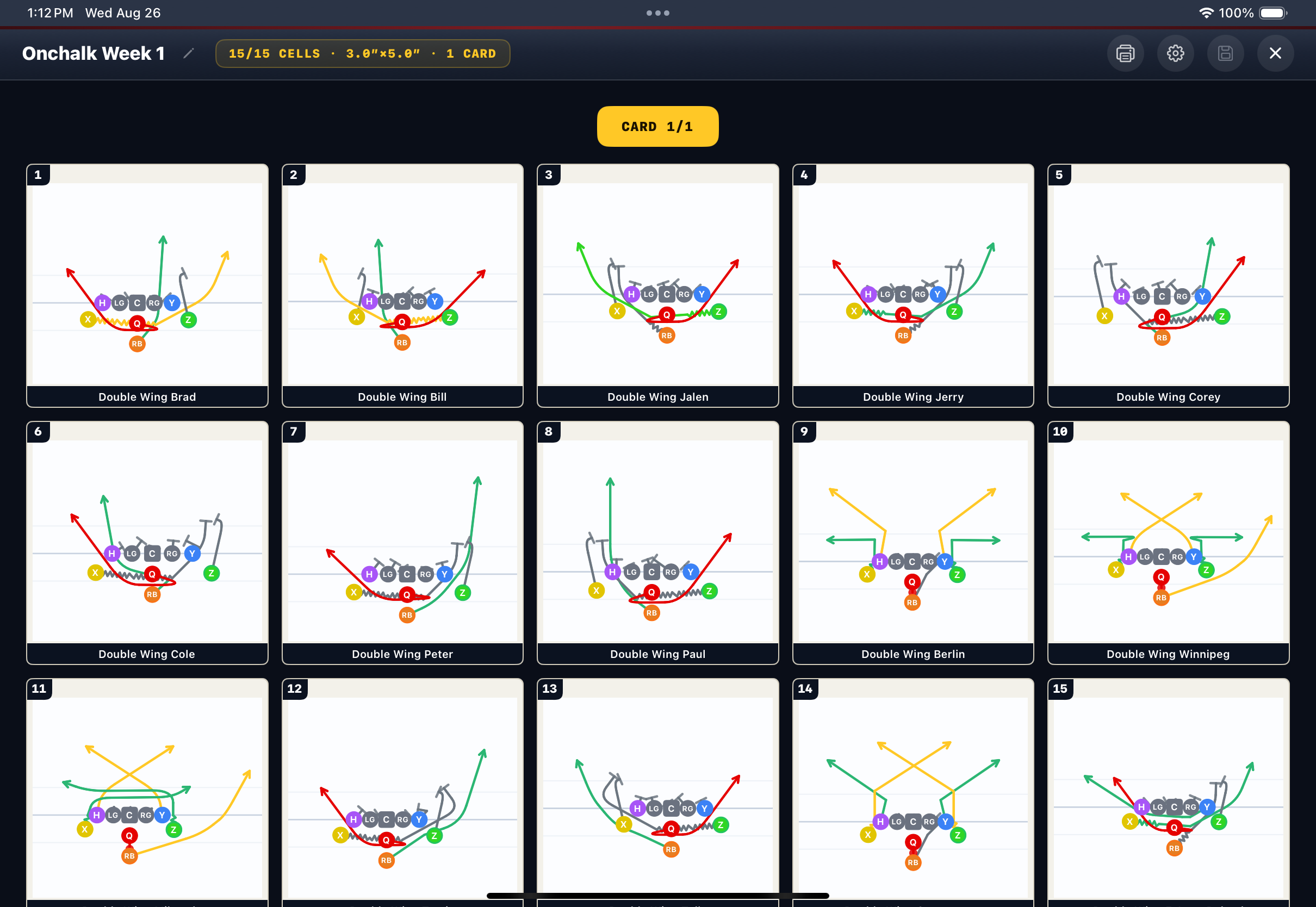
Wristbands
A grid of play names sized for a quarterback’s wrist. Each cell maps to a signal — call the number, run the play. Print, cut, sleeve, done.
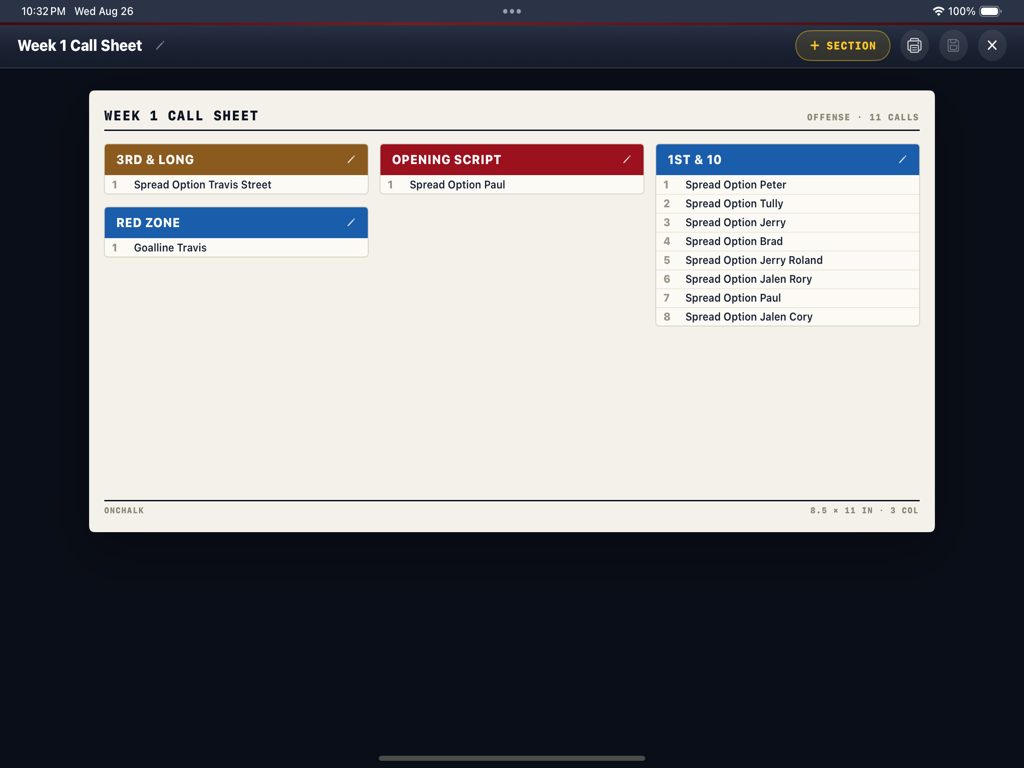
Call sheets
A coach’s cheat sheet for the press box or the sideline. Sorted by situation — base, red zone, two-minute — so you never fumble through a binder on fourth down.
Playsheets
Full-page diagrams for the coaching staff or the film room. Every play in the install, drawn to scale, ready to print or share as a PDF.
Free for the kids to study their plays.
Player accounts don’t cost anything to view assigned installs. The barrier between a kid and learning their assignment shouldn’t be a credit card — and you shouldn’t have to chase parents for one.
Only what you assigned to them. No noise, no other teams, no extras.
Position-specific. The X sees X’s route. The TE sees TE’s block. No guessing.
Every install opened, every play viewed, every player who hasn’t cracked the install yet — recorded automatically.
One price for the coach. Nothing for the kids.
Playbooks
Or $99.99/year — two months free. Start with a 7-day free trial — cancel before it ends and pay nothing.
- Unlimited teams & rosters
- Touch-first play editor
- Installs with per-player assignment
- Wristbands, call sheets & playsheets
- Player study tracking
Player
No credit card. No “trial.” Players view assigned installs and their own assignment on every play.
- See assigned installs
- Open every play in the install
- Position-specific assignment
- Views recorded for the coach
- iOS app & web
Put it on chalk this week.
OnChalk Playbooks is live on the App Store. Download it, build your team in minutes, and have the playbook on every kid’s phone by Friday.
Free for players to view their installs · iPhone & iPad · print artifacts on the web app.