
OnChalk Formation Library: Play building in 60s
A play in OnChalk is built on a formation, your players already lined up. The order is simple: build a formation, then build a play on it. That’s the foundation the whole app sits on. Now there’s a shortcut for the part that used to slow new coaches down. OnChalk ships with a Formation Library: a set of ready-made formations, players already on the field, that you can drop straight into a play. Build your own whenever you want, or grab one from the library and get moving.
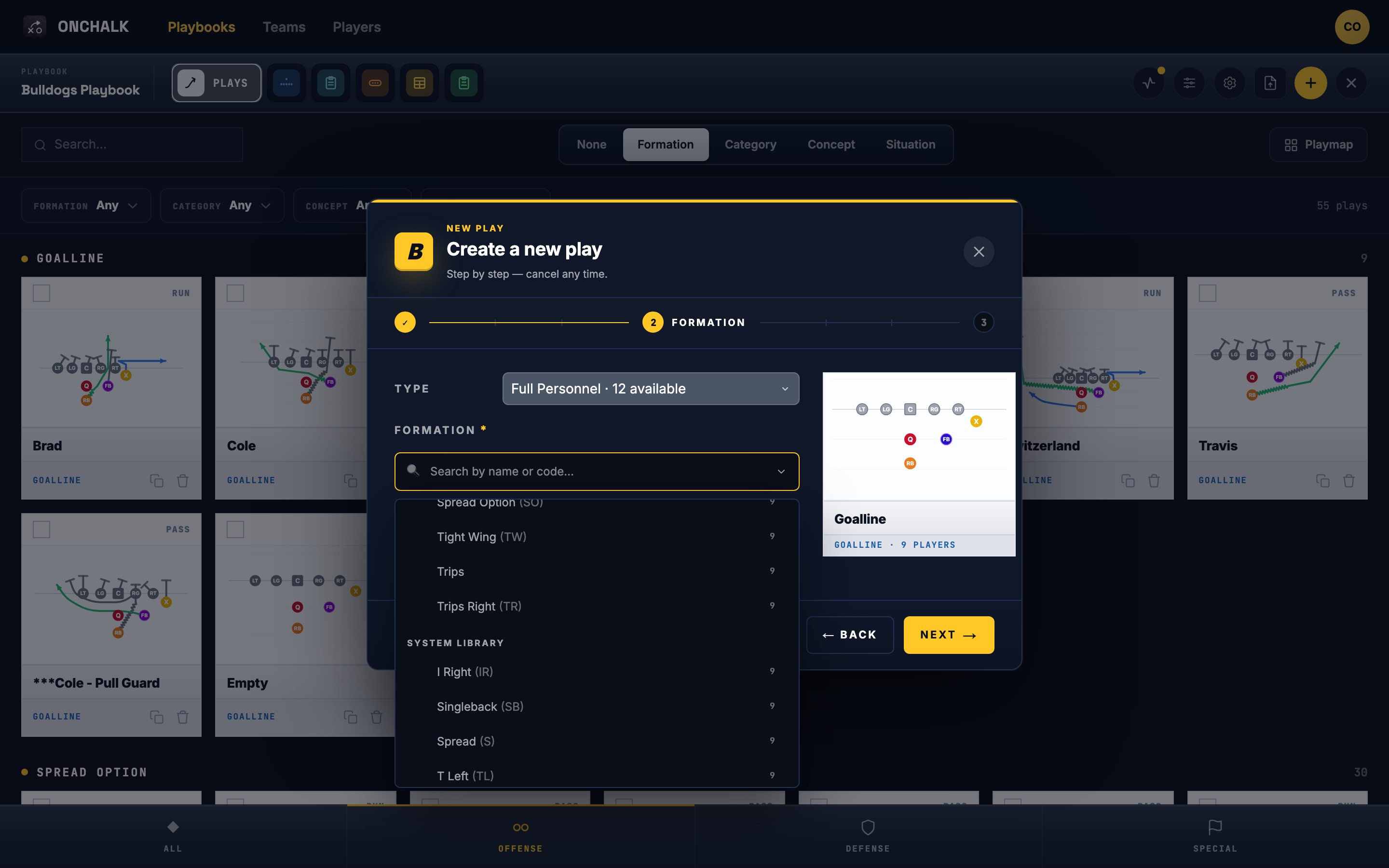
When you create a play, the formation picker now has two sources: the formations in this playbook, and OnChalk’s system library. Pick one from the library and it drops right in, players already on the field.
Formations, foundation first
If you’ve read the other two posts, you know the order OnChalk works in: a formation is where your players line up, and a play is what they do from there. Everything hangs off that: installs, wristbands, the diagram on a kid’s phone. The catch was always the first hour. A brand-new coach had to hand-build a handful of formations before a single play could exist. The Formation Library removes that first hour.

Only what fits your format
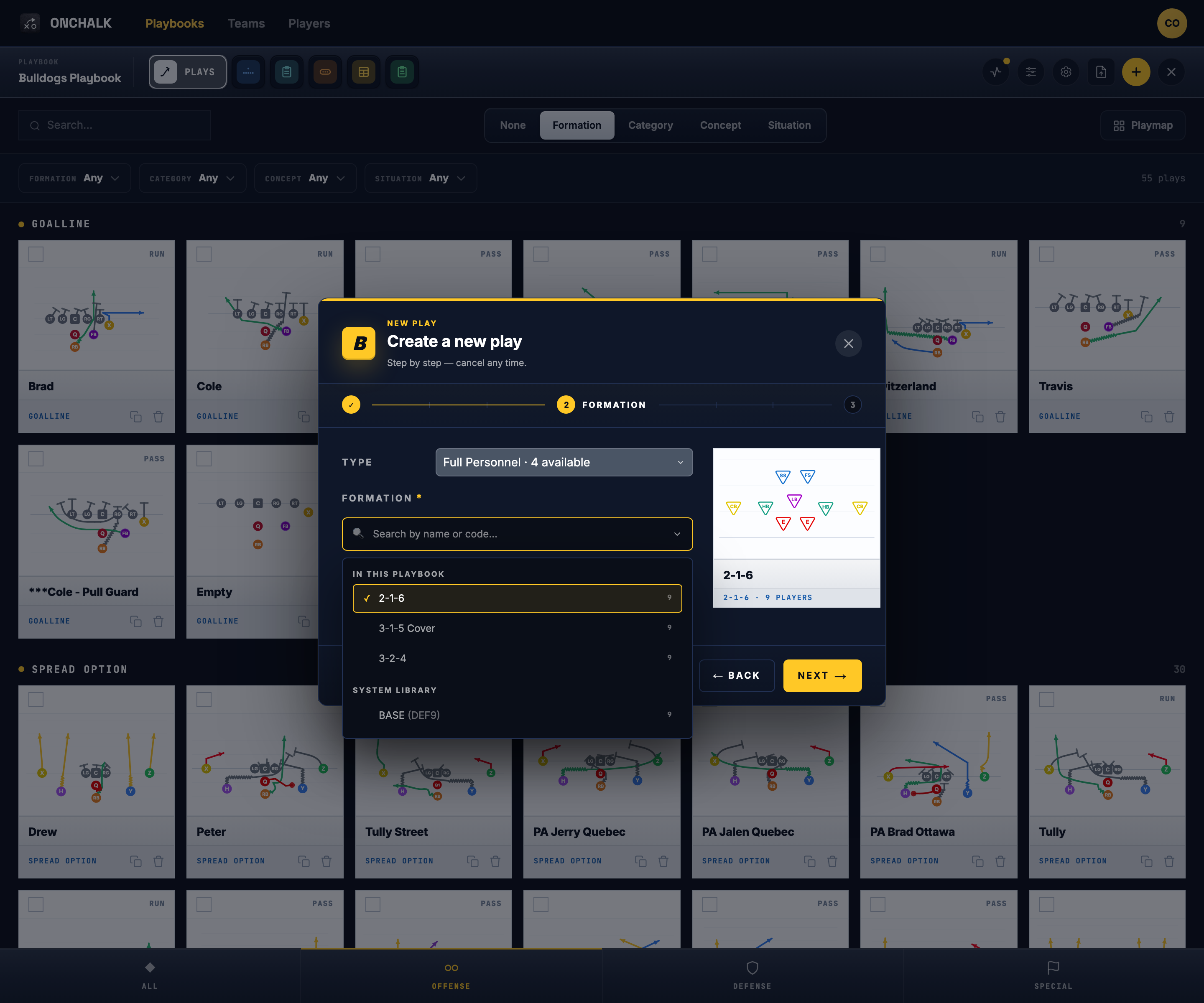
Your team carries a format: 5-on-5, 7-on-7, 9-on-9, 11-man, or 12-man. The picker reads it and shows you only the formations built for the game you actually coach. The library covers all five.
Pick one and it becomes yours
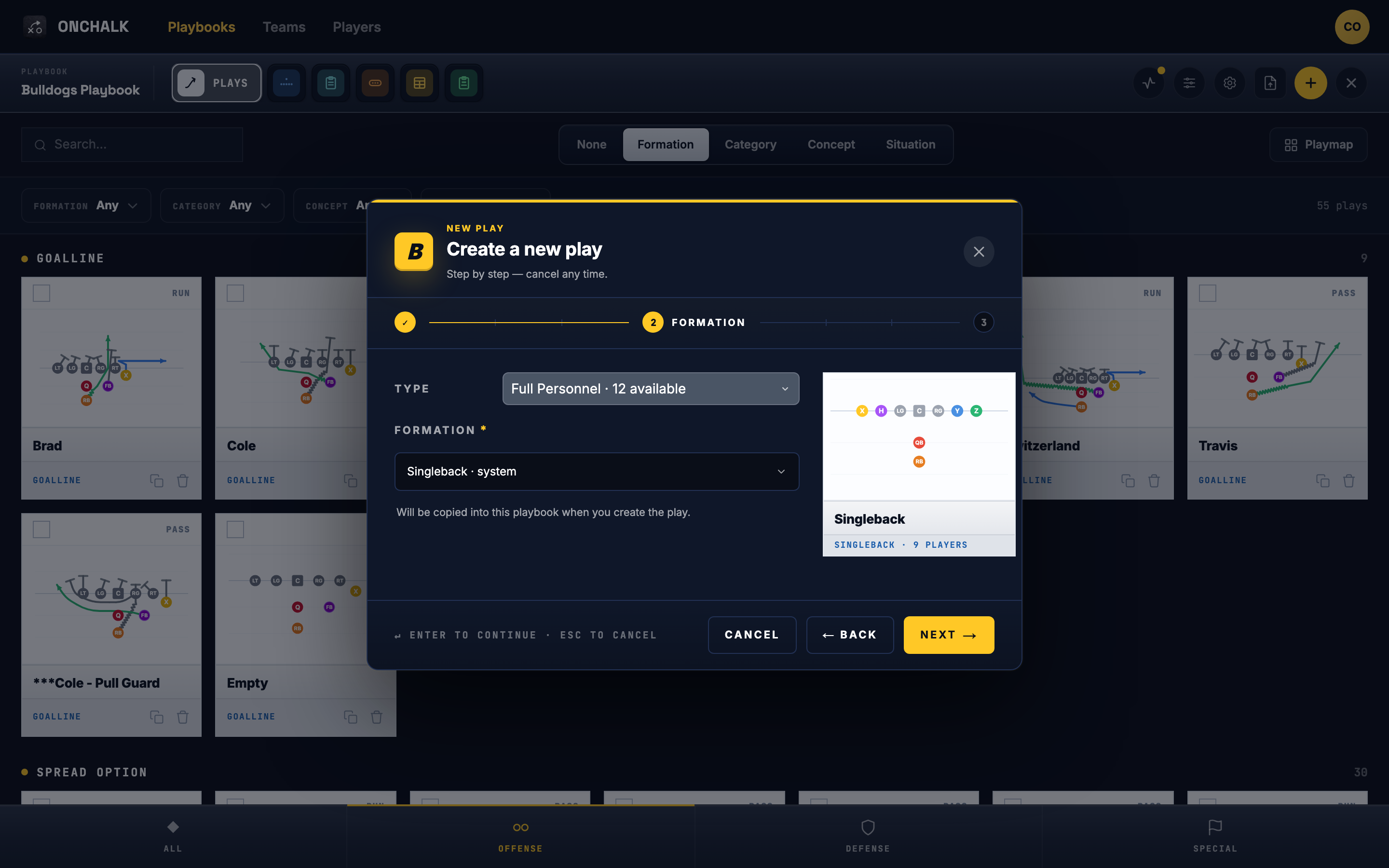
Choosing a library formation for a play copies it into your playbook. From that moment it’s an ordinary formation of yours: rename it, nudge the splits, adjust the depth, whatever you’d do to one you drew. Your edits stay yours. Tightening your copy’s spacing in week six leaves the library and everyone else’s playbook untouched. You get a running start, then you make it your own.
Offense, defense, and special teams
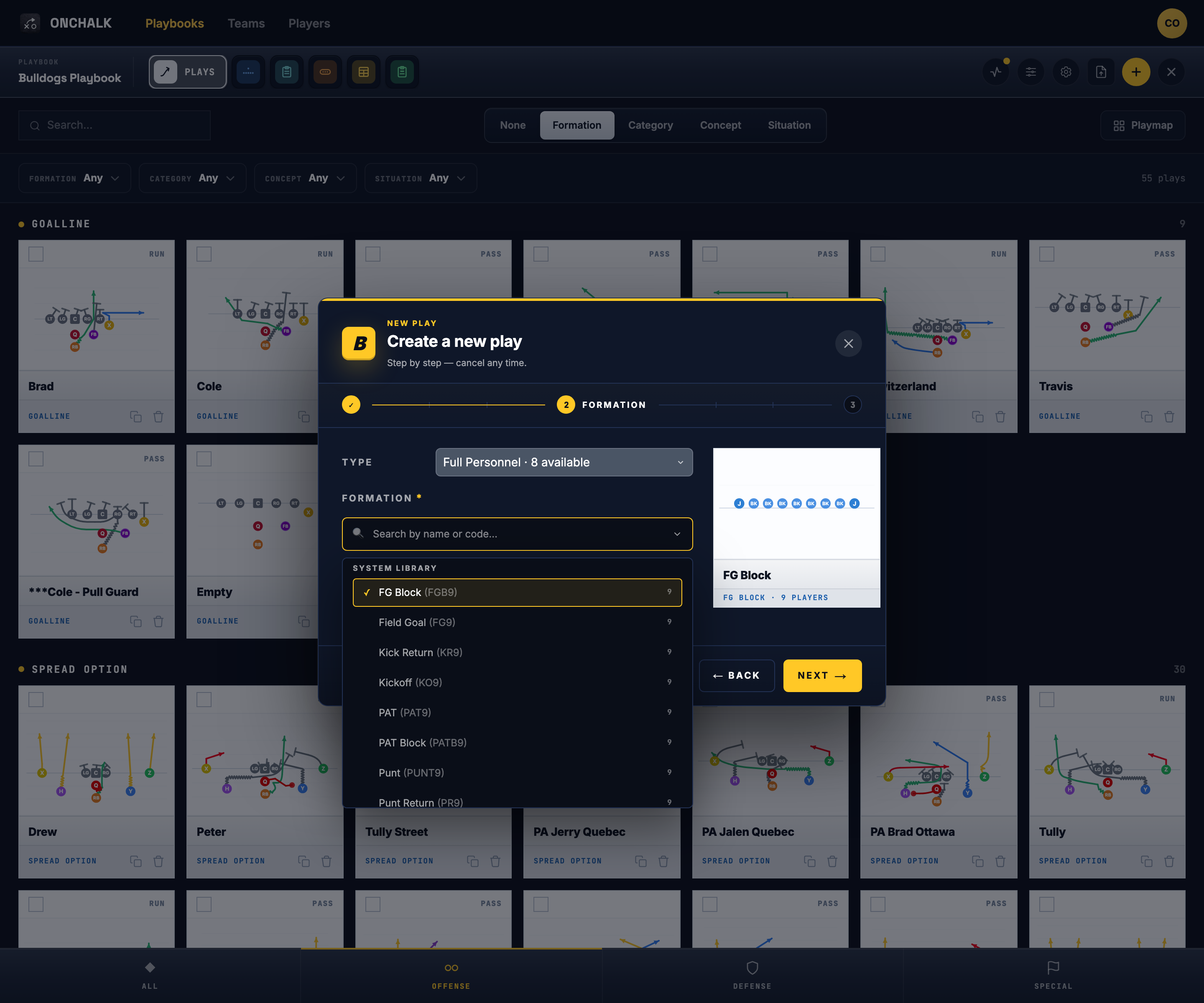
The library spans all three phases. On offense you’ll find looks like Singleback, Spread, I Right, T Left, and Trips Bunch Left. On defense, a base front built for your format. On special teams, the whole kicking game is there: punt, kickoff, field goal, kick return, and PAT, the units that are the most tedious to place by hand. Whatever side of the ball you’re installing this week, there’s a starting point waiting.
Building your own got faster too
Even when you draw a fresh formation, you get a head start. Tell OnChalk it’s a full offense, a defense, or a special-teams unit and it auto-places the players for your team’s format, a sensible alignment on the field from the first second. From there you just drag to match what you run. Pull one from the library, or start a new one that’s already half-built; both get you to a real play fast.
Where to start
Start a play, and when the picker opens, look under System library. Pick the formation closest to what you run, drop it in, and give each position its assignment. That’s a complete play, built in minutes, without placing a formation by hand. Tweak the copy later once you see it on the field.
The full walk-through: How to Create a Play in OnChalk.