
How to Create a Play in OnChalk
Every good football team runs on plays your kids actually know cold. In OnChalk, a play is the atomic unit of your playbook. They turn into study material, wristband entries, and call-sheet lines without redrawing it three times. Here’s how to build one from a blank canvas to something every player can pull up on their phone. We’ll build a real one as we go: a Trips Right Hail Mary, four receivers running straight up the field.
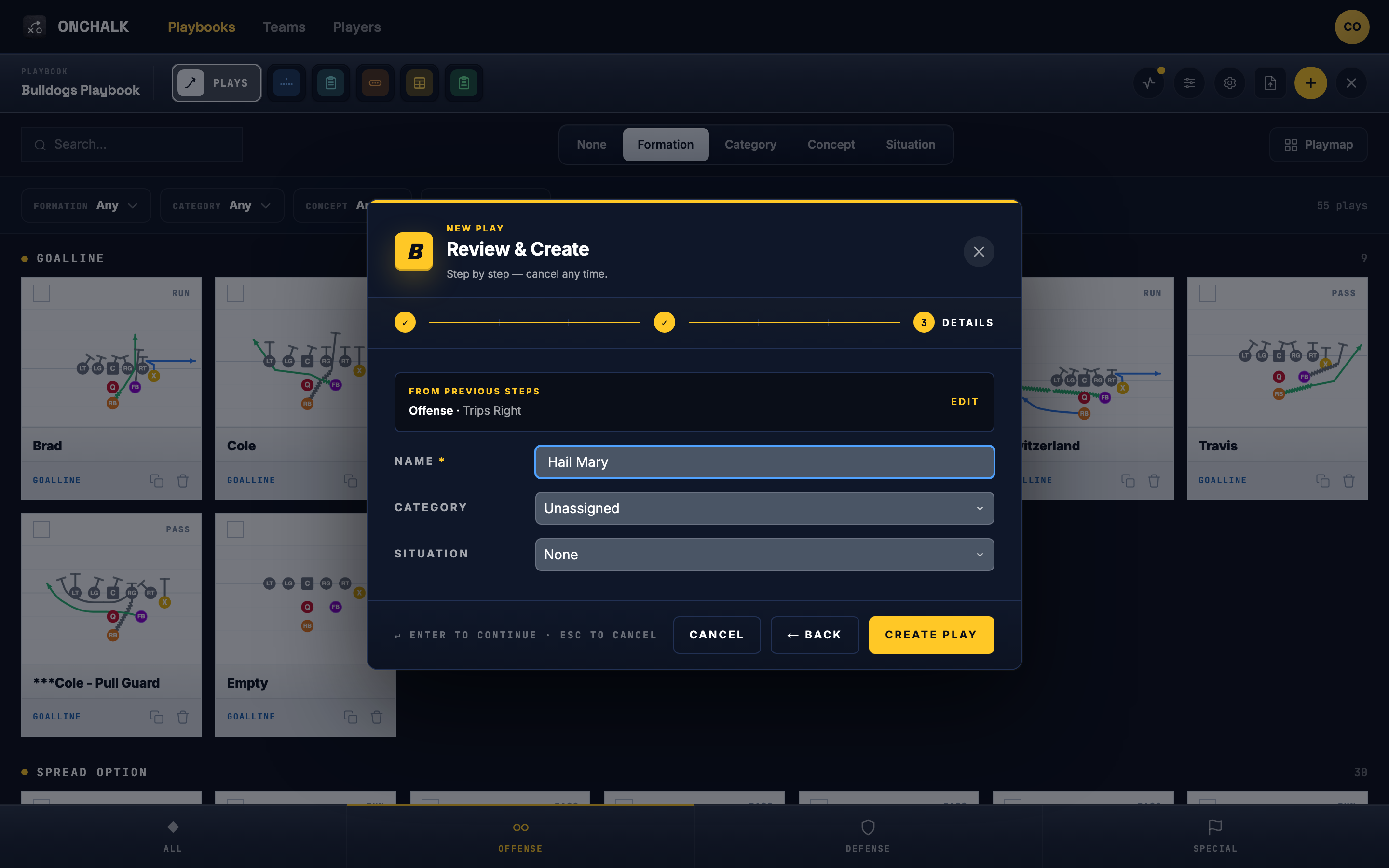
New to this? Formations come first. Read How to Create a Formation in OnChalk, then come back.
First, a quick definition
A play in OnChalk lives inside a playbook (your team’s library) and carries three things: a formation (how your players line up), an assignment for each position (what that kid does when the ball is snapped), and tags that make it findable later. Get those three right and the play is ready to teach, print, and call on game day.
Start from a formation
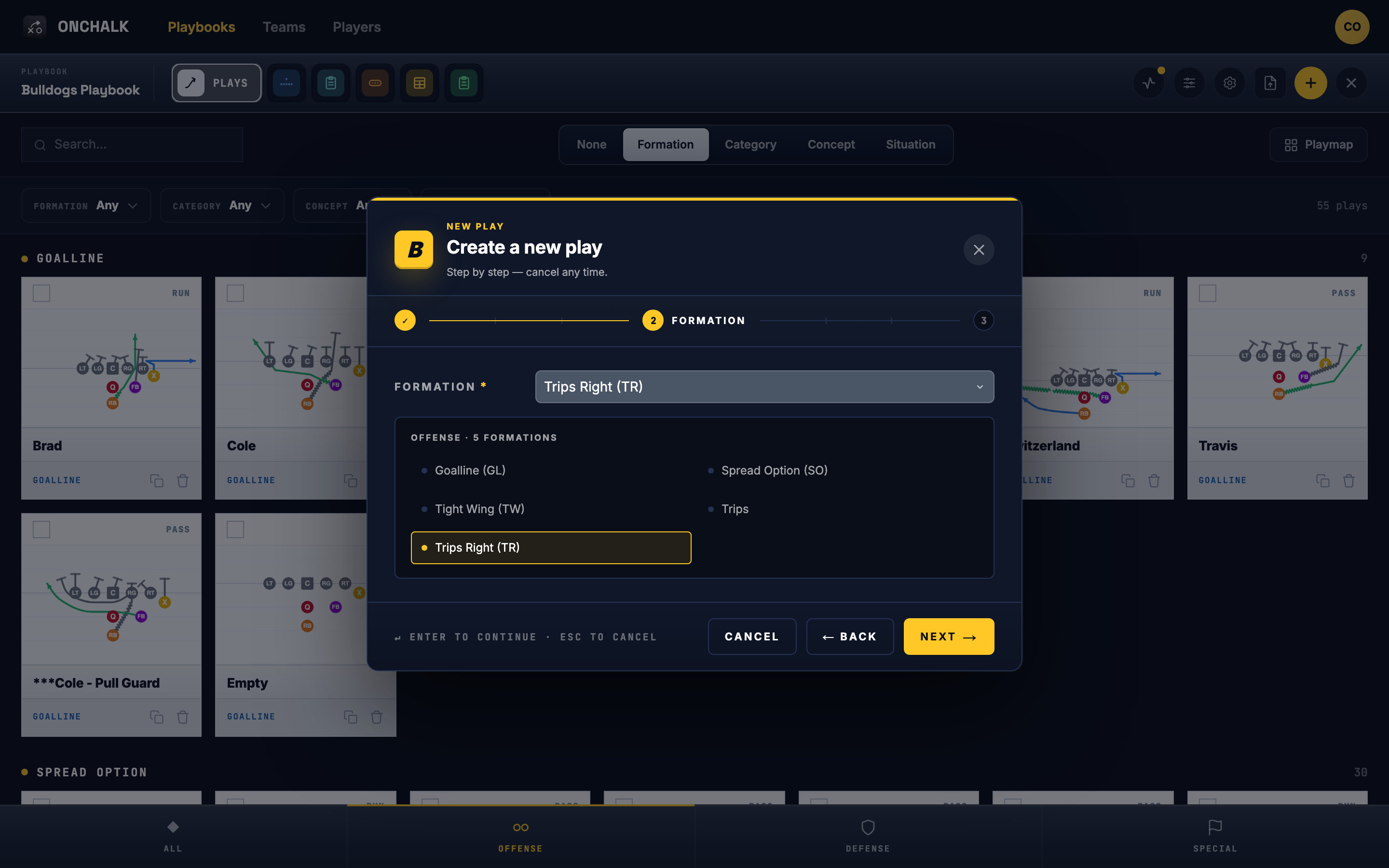
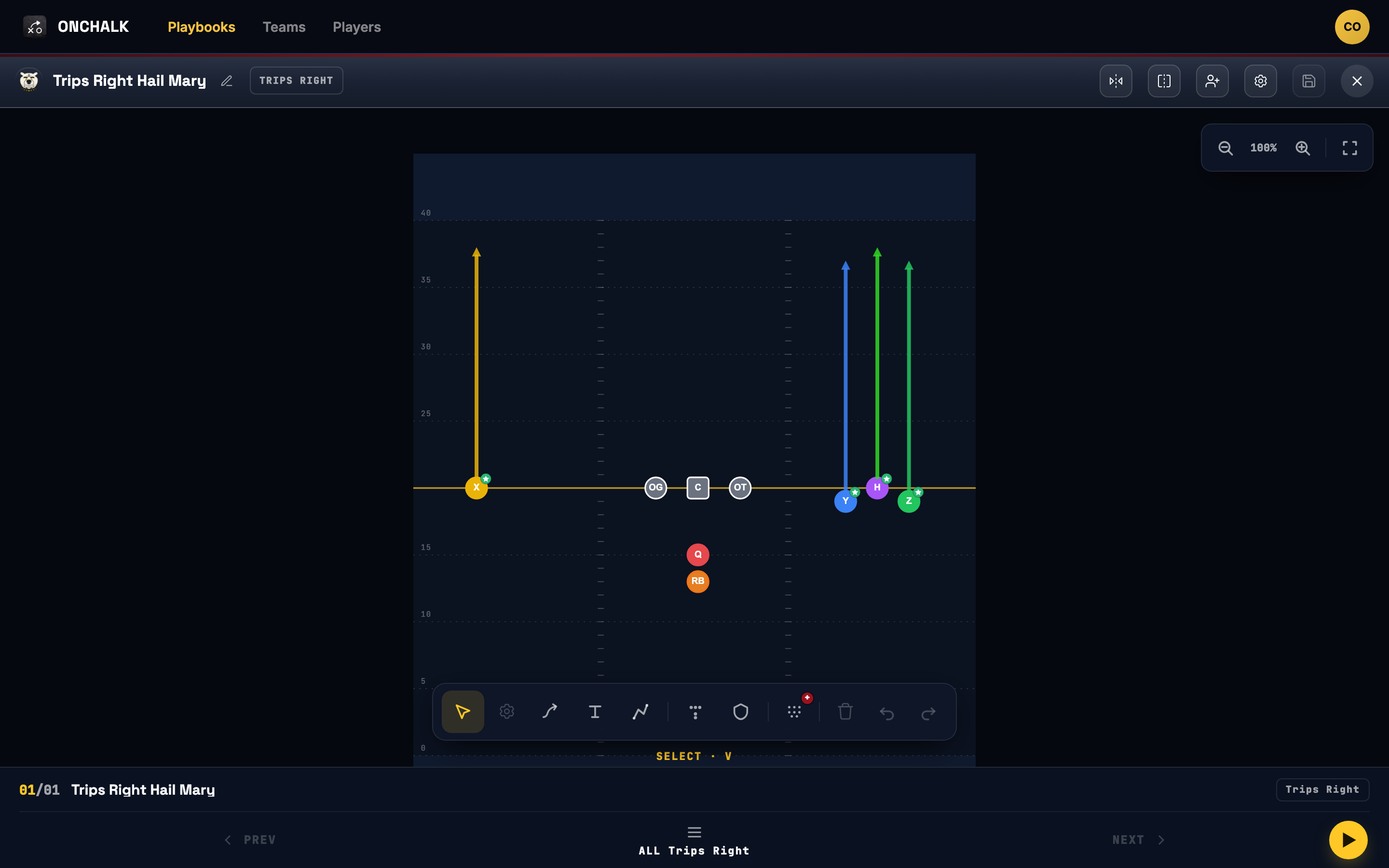
Open the play designer and pick your formation. This sets where every player lines up before you assign anyone a job. If you haven’t built one yet, start with how to create a formation: you can save a full 5/9/11/12 person look or a group (a receiver set, an O-line front, etc) and combine groups here as you draw. Starting from the formation (rather than dropping players one at a time) keeps your spacing honest and makes the next steps faster. Choose the personnel that matches the situation you’re building for: your base offense, an empty set, goal-line, whatever you’re installing this week. For our Hail Mary we pick Trips Right: X isolated to the left, H/Y/Z bunched to the right.
Set each position's assignment
Now tell each position what to do. Tap a player and give them their job: a block, a route, a hand-off path, a read. This is where a play stops being a picture and becomes coachable: every kid gets an assignment tied to their spot, so when you send this play to the team, each player sees what they are responsible for.
Draw the routes
Draw the routes and paths on the canvas so the play reads at a glance. This is the picture your players will study and animate on their phones or glance at on their wristbands, so make it obvious who’s going where. Our Hail Mary is about as clean as it gets: every receiver gets the same straight vertical “go”: four seams, one deep shot.
Clean lines beat a paragraph of description every time.
Tag it so you can find it later
Before you save, add your tags:
- Category: the play’s family (run, pass, RPO, special).
- Situation: when you’d call it (third-and-short, red zone, two-minute).
- Concept: one or more schemes it belongs to (power, mesh, counter).
Tags aren’t busywork: they power the filters in your plays library, so a month from now you can pull up “every red-zone pass” in two taps instead of scrolling your whole playbook. Our Hail Mary gets tagged Pass · Four Verticals, so it surfaces the moment you’re hunting for a shot play late in a half.
Name it and save it to your playbook
Give the play a clear, callable nameand save it into the playbook. We save ours as Hail Mary; OnChalk files it under its formation, so it shows up as Trips Right Hail Mary. That’s it: the play now lives in one source of truth, ready to be reused everywhere.
What happens next
Because the play lives in your playbook, it flows straight into everything else OnChalk makes:
- Drop it into a weekly install and it lands on every assigned player’s phone to study.
- Pull it onto a wristband, playsheet, or call sheet generated from the same play, so your game-day paper always matches what the kids learned.
- Track who’s actually opened and studied it.
Design the play once; OnChalk keeps it in sync everywhere your team needs it.