Wristbands in OnChalk
A wristband turns your playbook into something a kid can wear. You drop plays into a numbered grid, and OnChalk prints a card that wraps around a wrist, so on Saturday you call a number and your player already knows the play. And it prints three different ways, so the same band works for the player wearing it, the coordinator in the box, and you on the sideline.
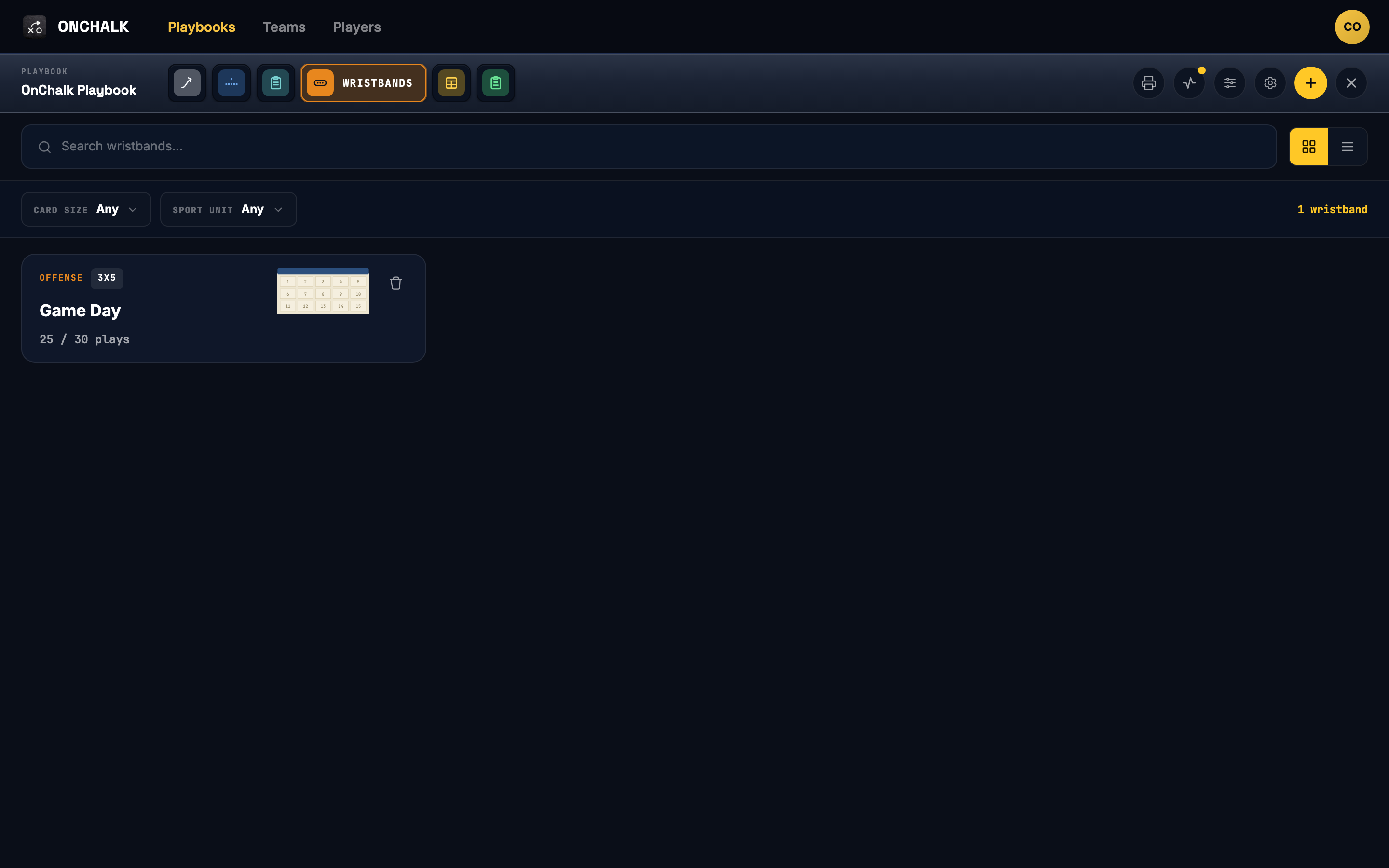
Wristbands are a tab inside each playbook, right alongside Plays and Formations. Every play on a band is a play that already lives in that playbook, so the diagram on the card is the same one your players study in the app.
Start a wristband
Open your playbook, go to the Wristbands tab, and hit New wristband. OnChalk asks three quick things. First the unit, offense, defense, or special teams, since a band is for one side of the ball. Then the size: a 3×5 holds 15 plays per card, a 4×6 holds 24, and the double sizes print a second card so you can carry thirty or more. Last, give it a name like “Game Day.”
Fill the grid
The editor shows your empty card on the right and a list of plays on the left. Drag a play into a cell, or tap a cell and pick the play, and it drops in with its number. Keep going until the card is full, or leave blanks where you want them. The counter up top tracks your progress, 25/30 cells on a double 3×5 that’s nearly packed.
Make it match your bands
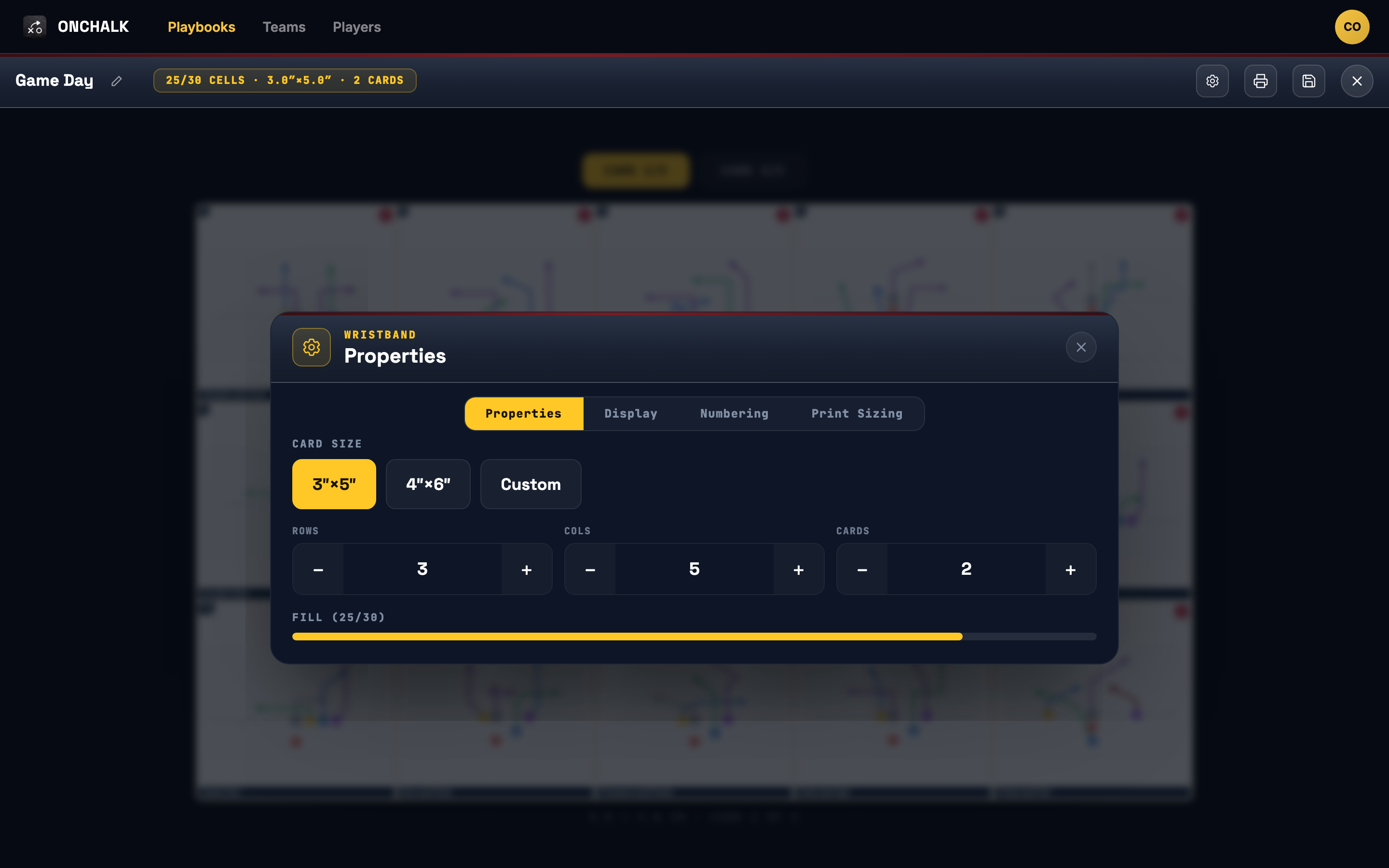
The size isn’t locked in. Open the wristband’s settings (the gear) and the Properties tab lets you switch between a 3″×5″ and a 4″×6″ card, or go Custom and type an exact height and width in inches — so the print matches the physical wristbands you actually bought, whatever size they are. The same panel sets the grid: rows, columns, and how many cards the band spans.
Choose what each cell shows
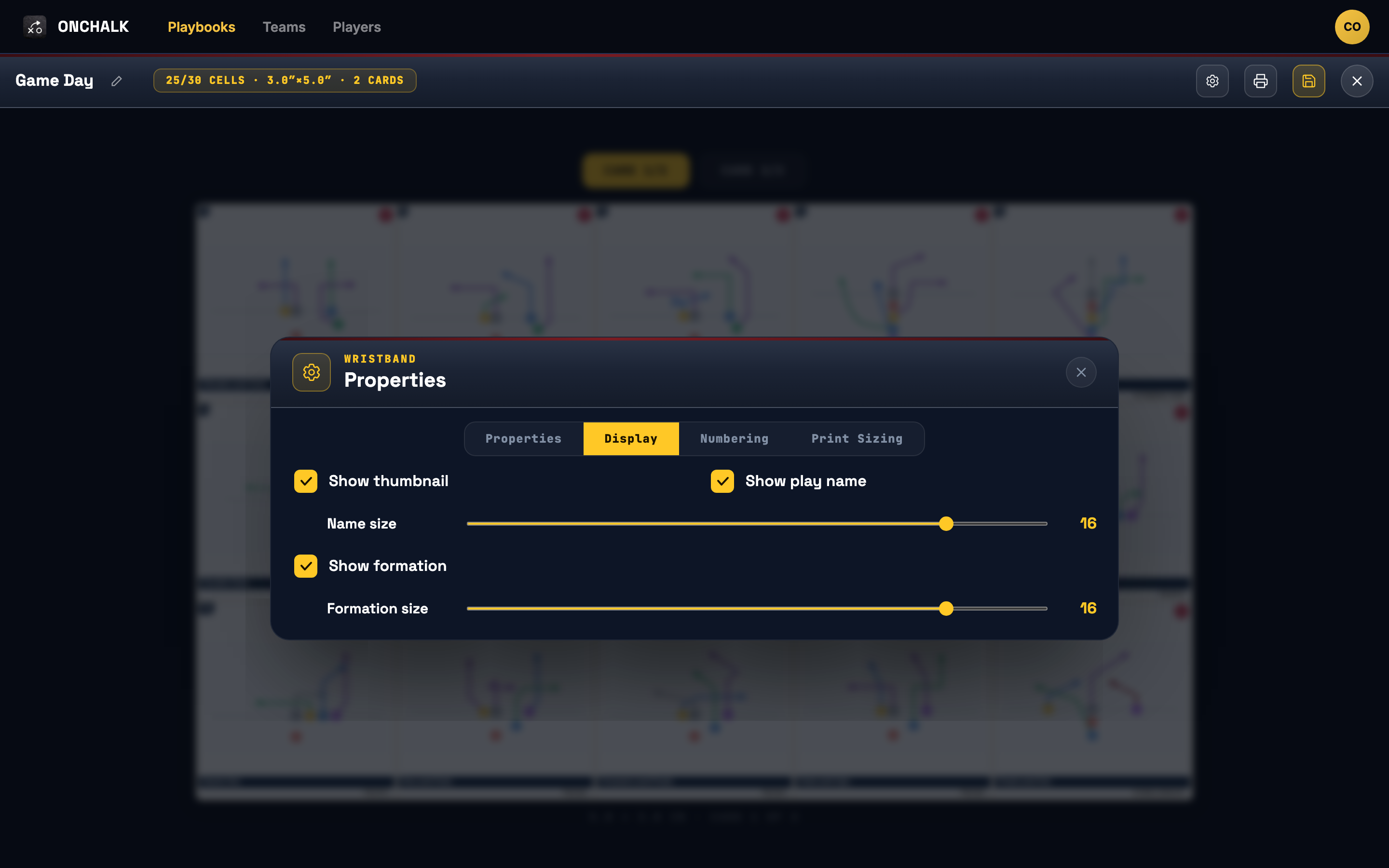
The Display tab decides what prints in every cell. Keep the play diagram, show the play name, and turn on Show formation so each cell is labeled with the formation it comes from — handy when a player has to line up before they read the route. Sliders size each one, so a packed 3×5 still reads at arm’s length.
The number on each cell is how you’ll call it from the sideline. OnChalk can run up to four numbering systems on the same band, each starting wherever you like, so the play a kid reads as “12” can be your dummy number while the real call sits in a different corner. It’s the classic wristband trick, built in.
Three ways to print the same band
When the card is ready, open the print options and pick the format. All three pull from the same grid, so you fill the band once and get a version for everyone who needs one.
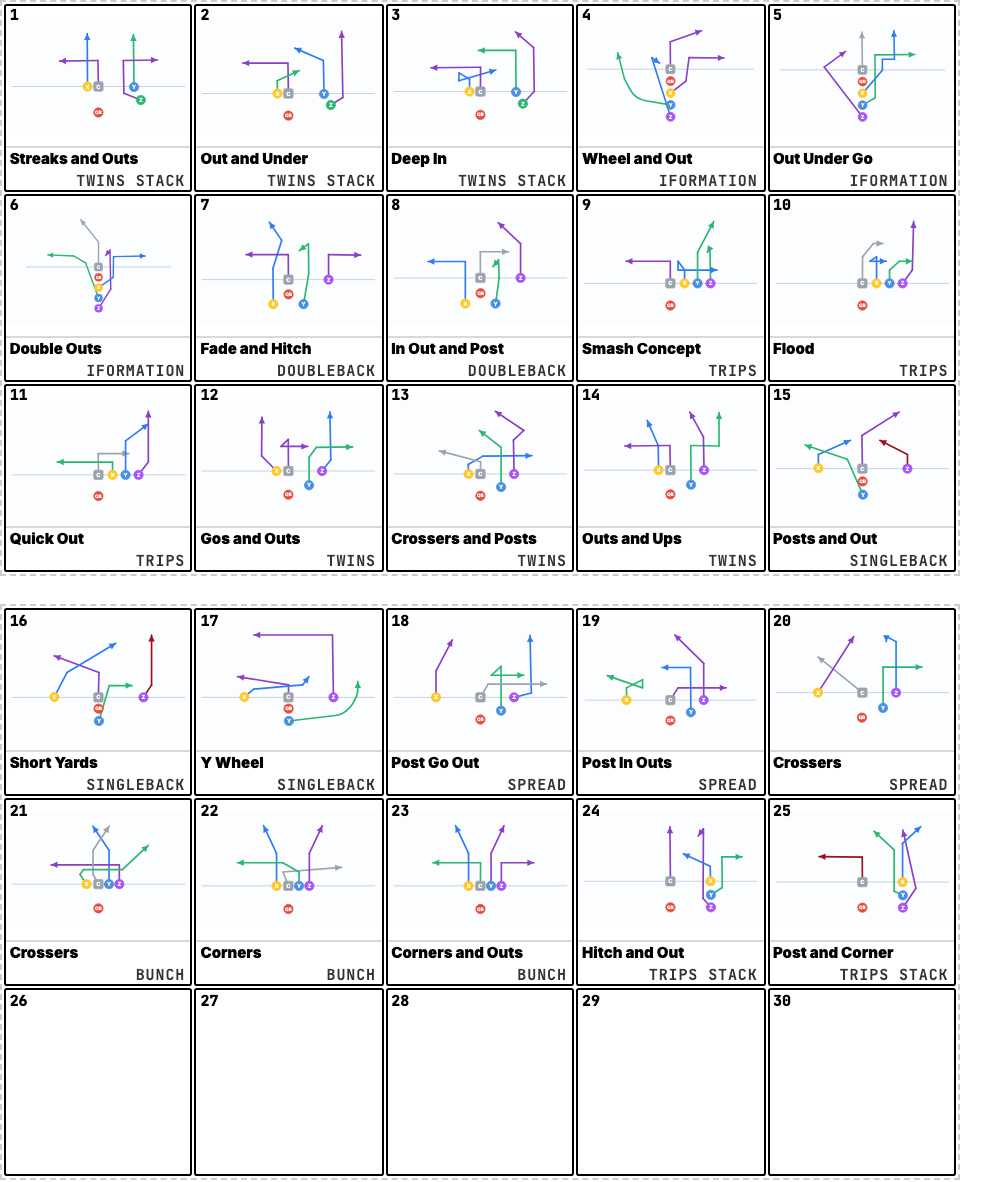
Wrist Bands — for the players
The Wrist Bands format prints your cards at physical size, several to a page. Cut them out, slide them into a band, and hand them to your players. This is the one they actually wear, numbers big enough to read at a glance between plays.
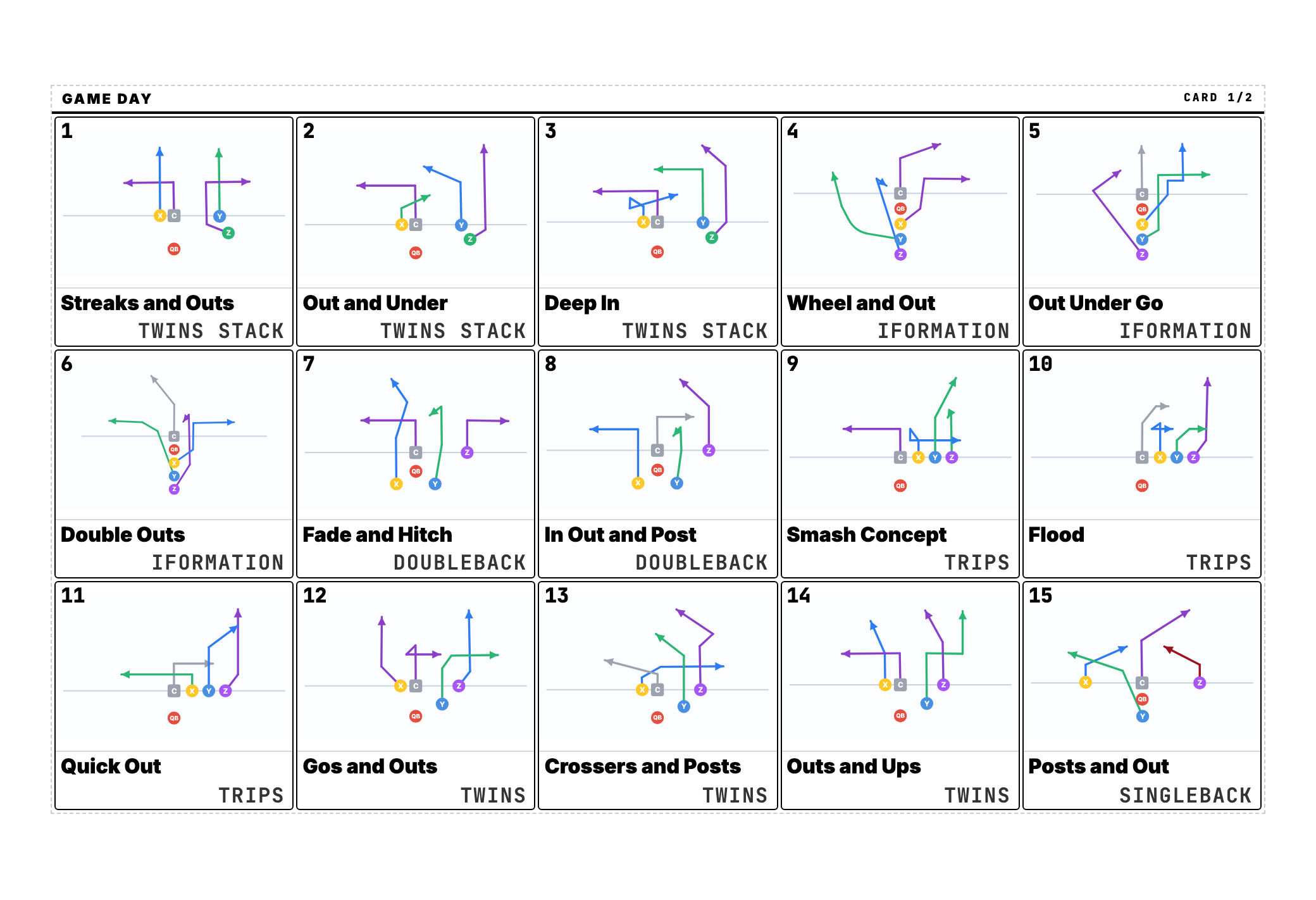
Coach Cards — for the sideline
The Coach Cards format blows one card up to a full page. It’s your copy, big and clear, for the clipboard or the call sheet in your hand. Same numbers your players see, just sized for the coach making the call.
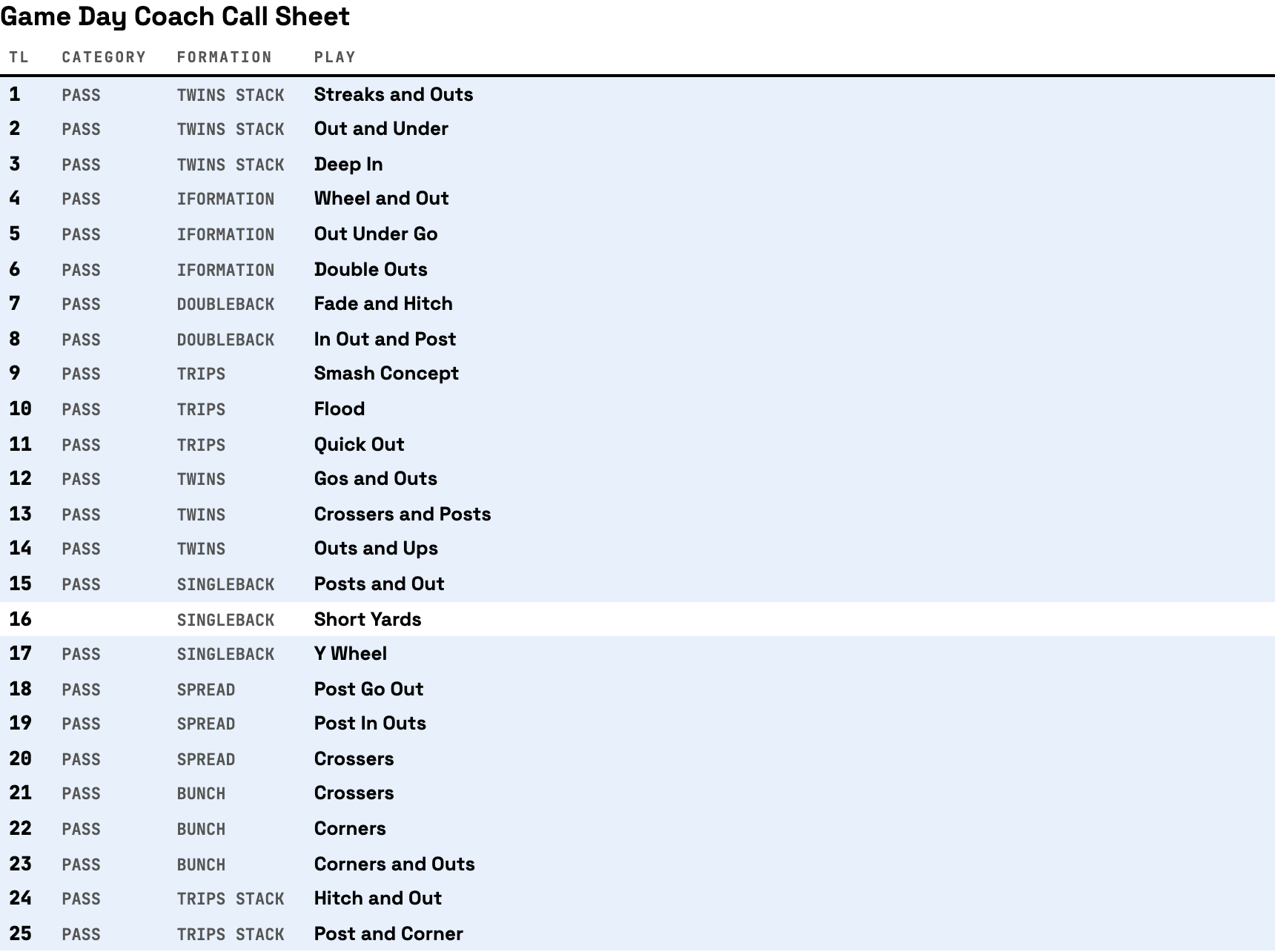
Coach Call List — for the box
The Coach Call List drops the diagrams and gives you a clean numbered table, every play in cell order with its formation and category. It’s the fast reference for the coordinator upstairs, or anyone who just needs the number-to-play lookup without the art.
Where to start
Build your plays first, then open the Wristbands tab, start a new band, and drag in the plays you’ll run this week. Print Wrist Bands for the players, Coach Cards for yourself, and a Coach Call List for the box. One grid, three ways to call it.
Need plays to put on the band first? Start with How to Create a Play in OnChalk.